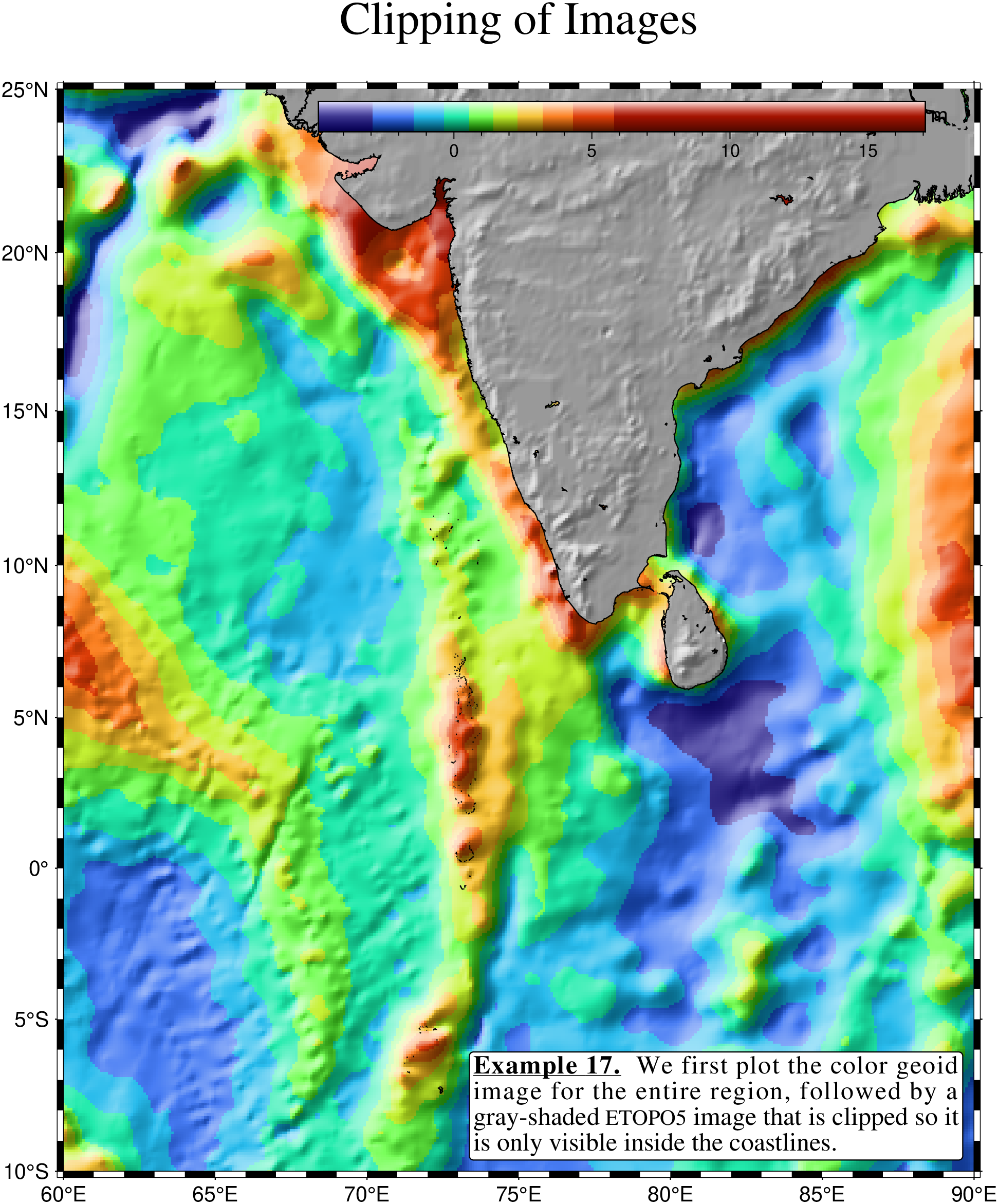
This example demonstrates how [coast] can be used to set up clip paths based on coastlines. This approach is well suited when different gridded data sets are to be merged on a plot using different CPTs. Merging the files themselves may not be doable since they may represent different data sets, as we show in this example. Here, we lay down a color map of the geoid field near India with [grdimage], use [coast] to set up land clip paths, and then overlay topography from the ETOPO5 data set with another call to [grdimage].
We also plot a color legend on top of the land. So here we basically have three layers of “paint” stacked on top of each other: the underlying geoid map, the land mask, and finally the color legend. This legend makes clear how [grd2cpt] distributed the colors over the range: they are not of equal length put are associated with equal amounts of area in the plot. Since the high amounts (in red) are not very prevalent, that color spans a long range.
For this image it is appropriate to use the shade option in colorbar so the legend gets shaded, similar to the geoid grid. See [Of Colors and Color Legends] to learn more about CPTs and ways to draw color legends.
usingGMTCgeoid =grd2cpt("@india_geoid.nc");Cgray =makecpt(cmap=150, range="-10000,10000", nobg=true);sealand(grdimage, "@india_geoid.nc", (region="@india_geoid.nc", shade="+d", proj=:Merc, cmap=Cgeoid, title="Clipping of Images"), grdimage, "@india_topo.nc", (shade="+d", cmap=Cgray), shore=0.5)colorbar!(pos=(inside=true, anchor=:TR, offset=(0.8,0.2), size=(10,0.5), horizontal=true), cmap=Cgeoid, xaxis=(annot=5, ticks=1), ylabel=:m, shade=true)# Add a text paragrapht = ["@_@%5%Example 17.@%%@_ We first plot the color geoid image""for the entire region, followed by a gray-shaded @#etopo5@#""image that is clipped so it is only visible inside the coastlines."]text!(mat2ds(t, hdr="> 90 -10 12p 8c j"), paragraph=true, fill=:white, pen=:thinner, clearance=(round=true,), offset=(-0.25,0.25), font=(12,"Times-Roman"), justify=:RB, show=true)