Text Repel (ggrepel-like labels)

The textrepel function computes adjusted label positions so that they do not overlap each other or the data points, similar to R’s ggrepel package. The adjusted positions are then used with text! to place the labels and plot! to draw leader lines from each label back to its data point.

Examples

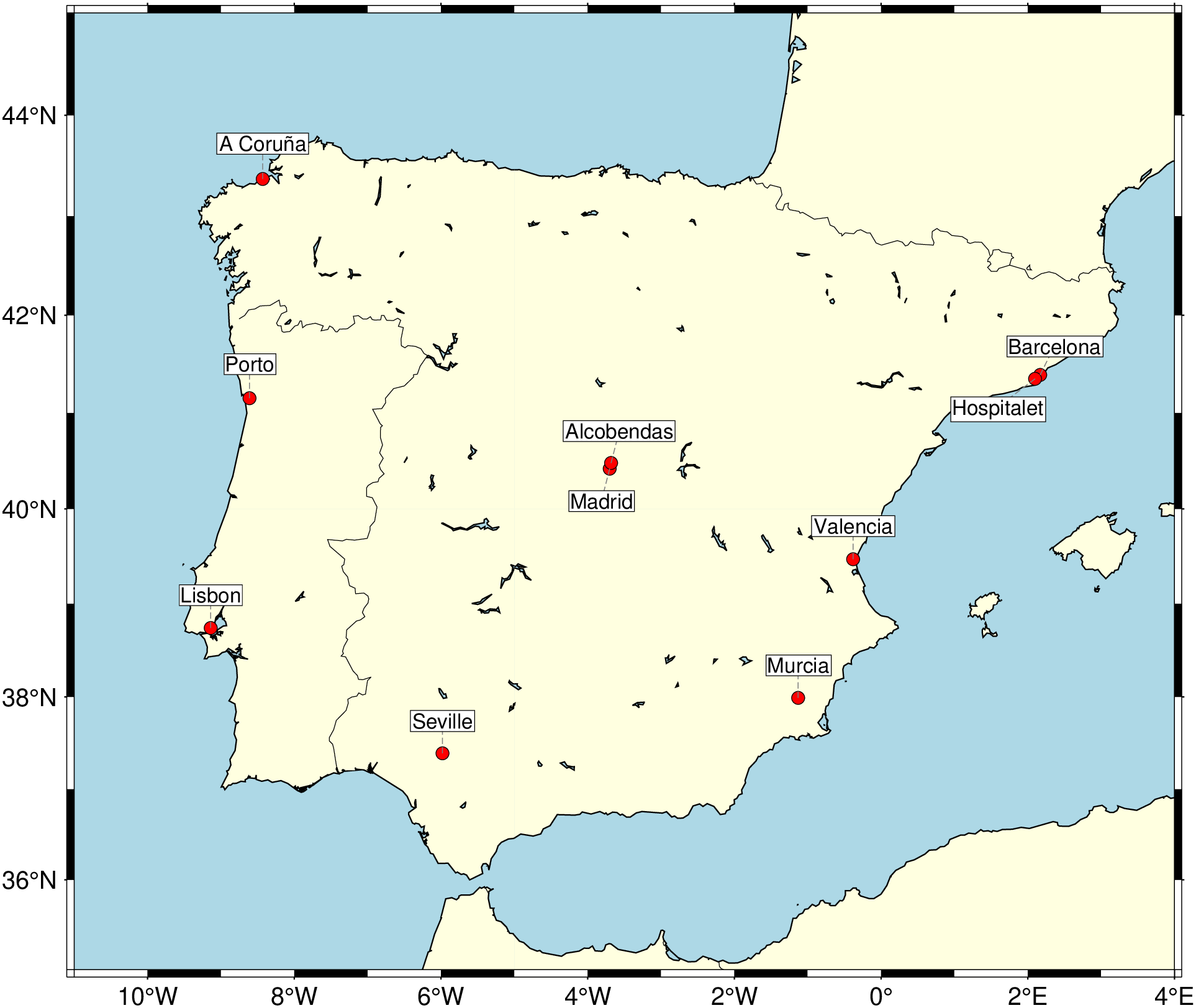
Labeling clustered city points

When several points are close together, labels would normally overlap. textrepel shifts them apart automatically.

using GMT

# City locations (some are very close to each other)
cities = [
    -9.14  38.74;   # Lisbon
    -8.61  41.15;   # Porto
    -3.70  40.42;   # Madrid
    -3.68  40.48;   # nearby Madrid (Alcobendas)
    -0.38  39.47;   # Valencia
     2.17  41.39;   # Barcelona
     2.10  41.35;   # nearby Barcelona (Hospitalet)
    -8.43  43.37;   # A Coruña
    -5.98  37.39;   # Seville
    -1.13  37.99;   # Murcia
]

names = ["Lisbon", "Porto", "Madrid", "Alcobendas",
         "Valencia", "Barcelona", "Hospitalet",
         "A Coruña", "Seville", "Murcia"]

# Plot the coast as background
coast(region=[-11, 4, 35, 45], proj=:Mercator, shore=true,
      land=:lightyellow, water=:lightblue, borders=(1,:thinnest))

# Plot city points
scatter!(cities, marker=:circle, ms="5p", fill=:red, ml=:thinnest)

# Compute repelled label positions
pos = textrepel(cities, names, fontsize=8, offset=10)

# Draw leader lines (one multi-segment dataset) and place labels
lines = [mat2ds([cities[k,1] cities[k,2]; pos[k,1] pos[k,2]]) for k in 1:length(names)]
plot!(lines, pen="0.3p,gray50,dashed")
text!(mat2ds(pos, text=names), font=(8,:Helvetica,:black),
      justify=:CM, fill=:white, pen=:thinnest, clearance="1p")
showfig()

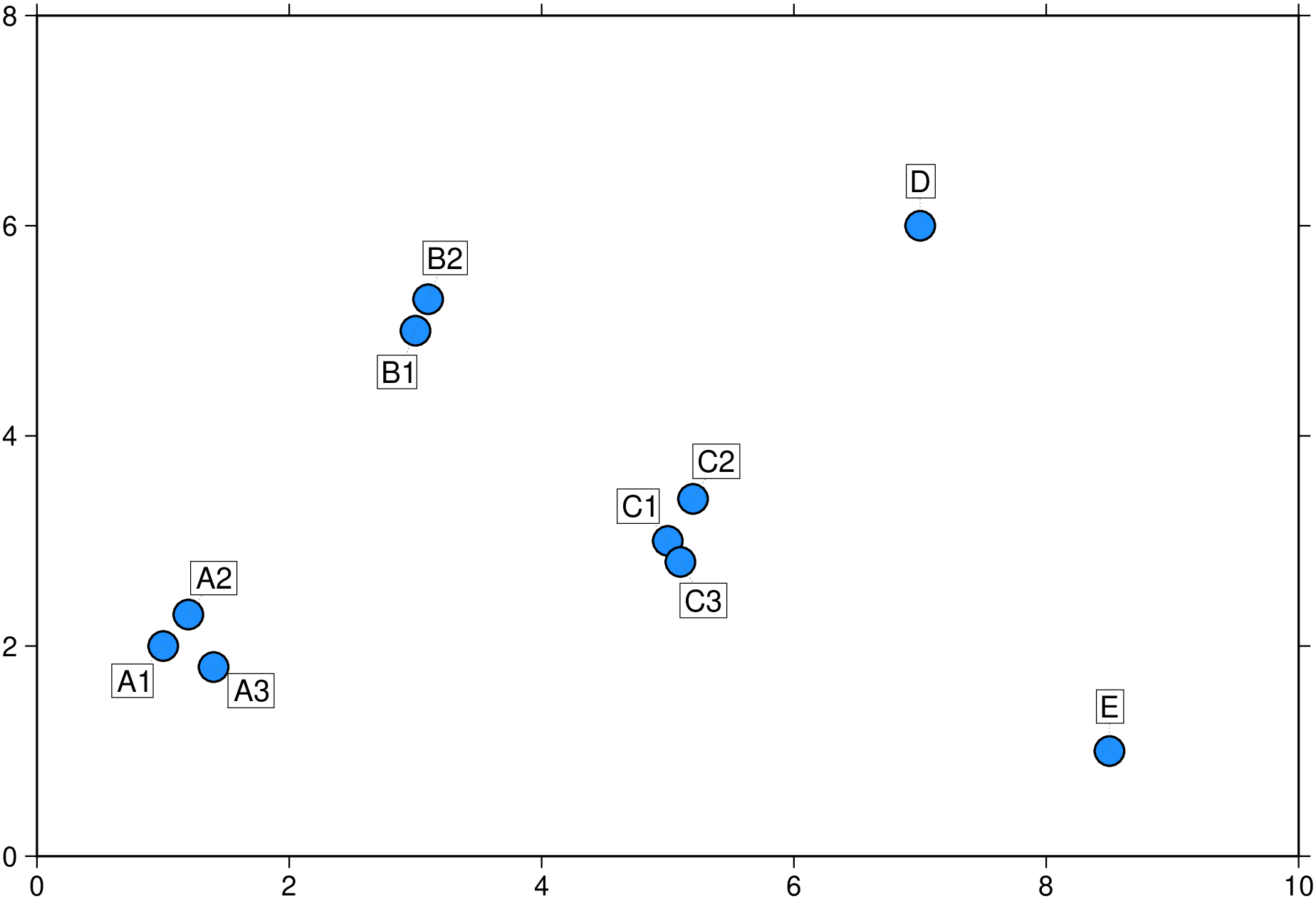
Scatter plot with non-overlapping annotations

Annotating points on a scatter plot where data is dense.

using GMT

x = [1.0, 1.2, 1.4, 3.0, 3.1, 5.0, 5.2, 5.1, 7.0, 8.5]
y = [2.0, 2.3, 1.8, 5.0, 5.3, 3.0, 3.4, 2.8, 6.0, 1.0]
labels = ["A1", "A2", "A3", "B1", "B2", "C1", "C2", "C3", "D", "E"]
pts = hcat(x, y)

scatter(pts, region=[0, 10, 0, 8], 
        marker=:circle, ms="10p", fill=:dodgerblue, ml=:thin,
        xaxis=(annot=2,), yaxis=(annot=2,), frame=:WSen)

# Compute adjusted positions
pos = GMT.textrepel(pts, labels, fontsize=10, offset=15)

# Leader lines + labels
lines = [mat2ds([pts[k,1] pts[k,2]; pos[k,1] pos[k,2]]) for k in 1:length(labels)]
plot!(lines, pen="0.25p,gray40,.")
text!(mat2ds(pos, text=labels), font=(10,:Helvetica,:black),
      justify=:CM, fill=:white, pen="0.25p", clearance="2p")
showfig()
Tight cluster

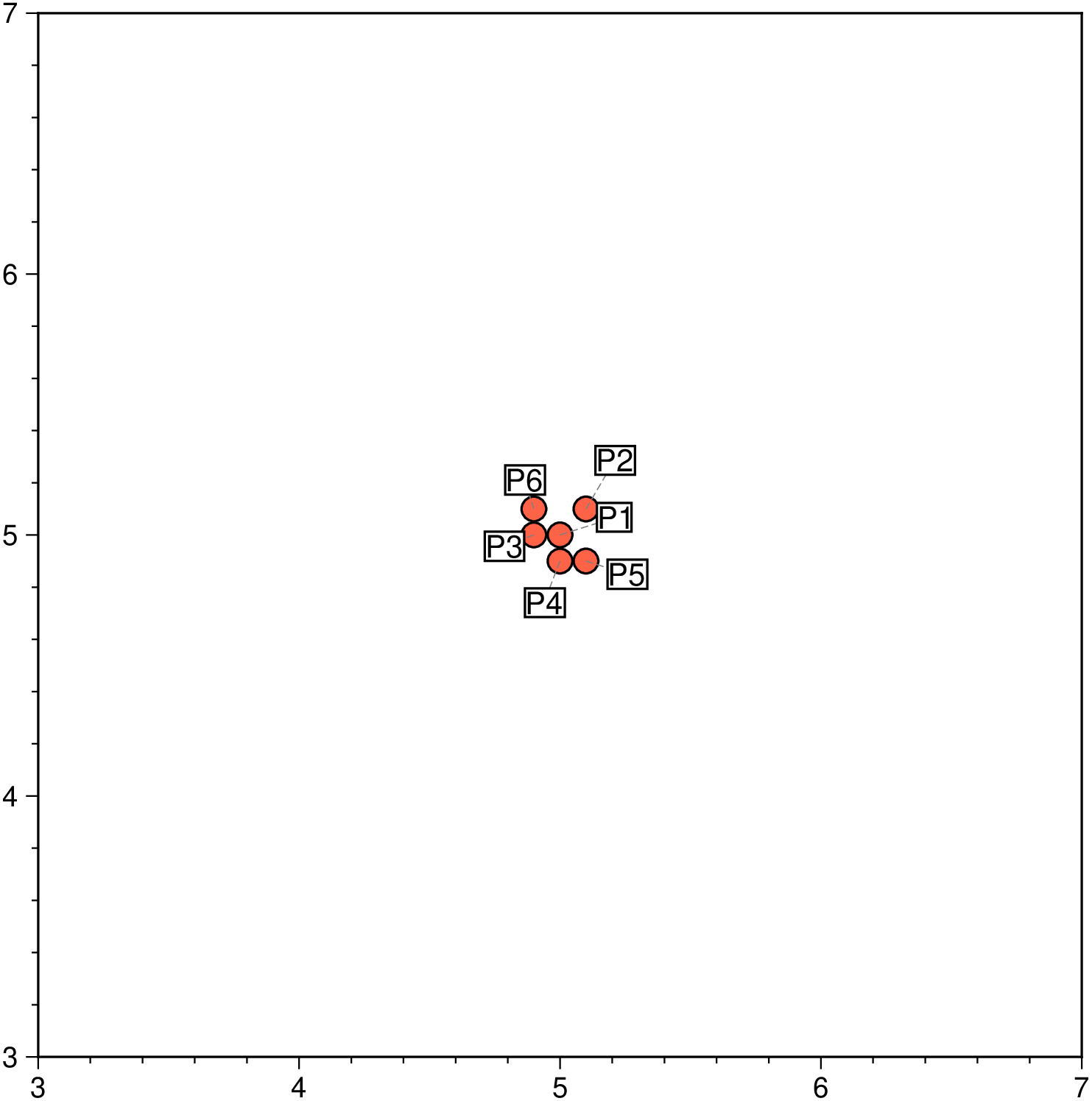
A tight cluster of 6 points shows how textrepel spreads labels apart even when points are nearly on top of each other.

using GMT

pts = [5.0 5.0; 5.1 5.1; 4.9 5.0; 5.0 4.9; 5.1 4.9; 4.9 5.1]
labels = ["P1", "P2", "P3", "P4", "P5", "P6"]

scatter(pts, region=[3, 7, 3, 7], figsize=(12, 12), marker=:circle, ms="8p", fill=:tomato, ml=:thin, frame=:af)

pos = GMT.textrepel(pts, labels, fontsize=10)

lines = [mat2ds([pts[k,1] pts[k,2]; pos[k,1] pos[k,2]]) for k in 1:6]
plot!(lines, pen="0.3p,gray50,dashed")
text!(mat2ds(pos, text=labels), font=(10,:Helvetica), justify=:CM, fill=:white, pen=:thin, clearance="1p")
showfig()