using GMT
montage([tests("peppers"), tests("coins"), tests("cameraman.png")])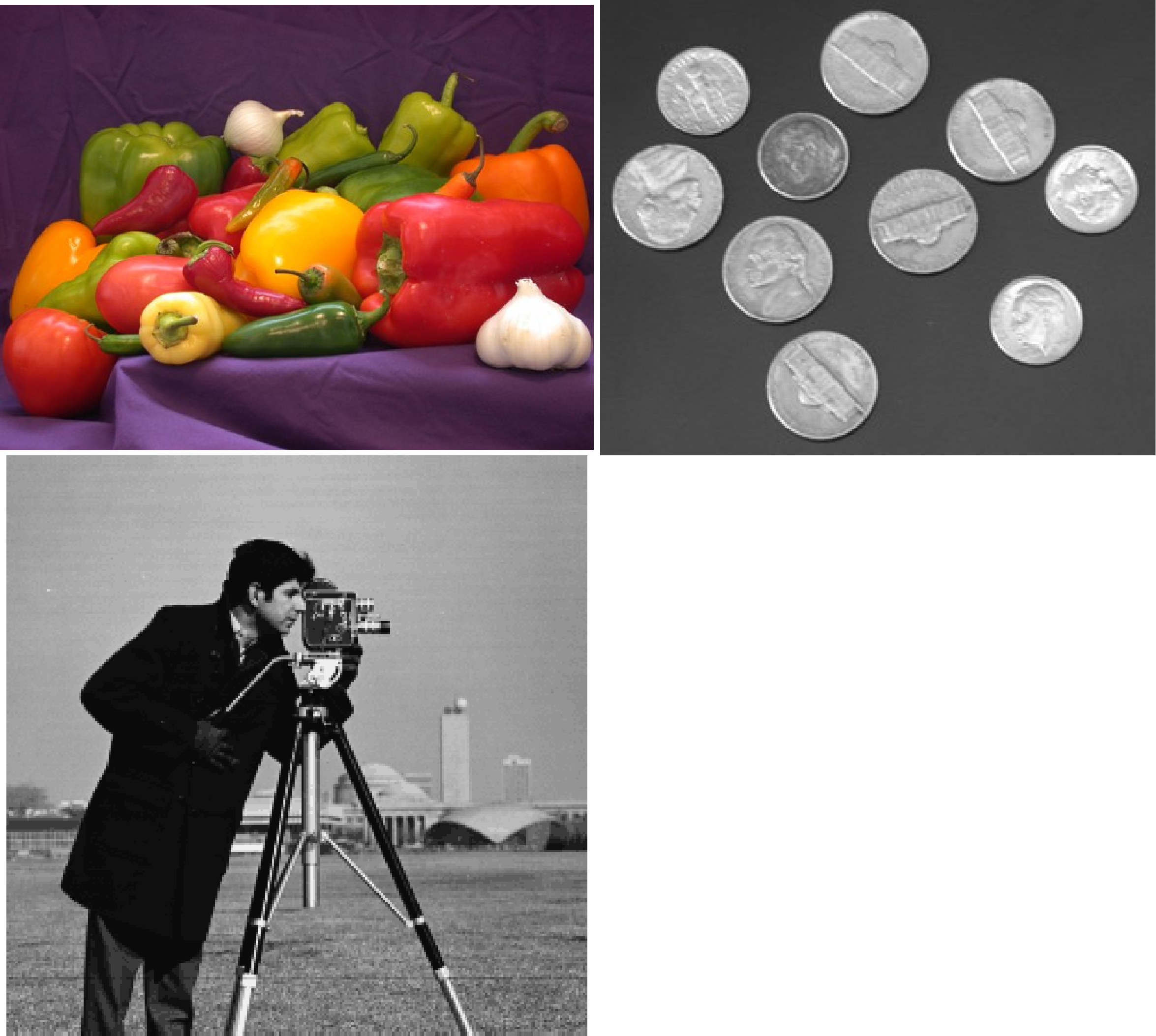
montage(images; grid=nothing, panels_size=nothing, margin="0.0", title=nothing,
        titles=nothing, indices=nothing, show=true, noR=false, kw...)
Display multiple images or grids arranged in a grid layout using GMT’s subplot machinery. Panel sizes are automatically computed from the aspect ratios of the input images (via subplot_panel_sizes) unless panels_size is given explicitly.
This function also has a second method for vector polygon data (choropleth montage):
montage(D::Vector{<:GMTdataset}; grid=nothing, panels_size=nothing, margins=nothing,
        choro=true, colorbar=false, attribs=String[], title="", titles=String[],
        divlines=nothing, show=true, kw...)
Display a multi-panel choropleth from vector polygon data. Each panel maps one numeric attribute of D (obtained via getattribs). Panels are laid out in a subplot grid, each drawn with choropleth.
images : The input data. A Vector of GMTimage or GMTgrid objects, or a vector of file name strings.
D : A Vector of GMTdataset polygons with numeric attributes stored in each segment’s attrib dictionary. Used by the choropleth method.
grid : – grid=(nrows, ncols)
Tuple specifying the grid dimensions. If not provided, the grid is approximately square based on the number of input images or attributes.
panels_size : – panels_size=value | panels_size=(w, h) | panels_size=“w1,w2,…/h1,h2,…”
Panel size in cm. Can be a scalar for square panels, a tuple (w, h), or a pre-formatted string with per-column widths and per-row heights separated by /. Default: automatically computed from the aspect ratios of the input images.
margins : – margins=??
This is margin space that is added between neighboring subplots (i.e., the interior margins) in addition to the automatic space added for tick marks, annotations, and labels. The margins can be specified as a single value (for same margin on all sides), a pair of values separated by slashes (or in a tuple) (for setting separate horizontal and vertical margins), or the full set of four slash-separated margins (for setting separate left, right, bottom, and top margins). The actual gap created is always a sum of the margins for the two opposing sides (e.g., east plus west or south plus north margins) [Default is half the primary annotation font size, giving the full annotation font size as the default gap].
J or proj or projection : – proj=
Select map projection. More at proj
R or region or limits : – limits=(xmin, xmax, ymin, ymax) | limits=(BB=(xmin, xmax, ymin, ymax),) | limits=(LLUR=(xmin, xmax, ymin, ymax),units=“unit”) | …more
Specify the region of interest. More at limits. For perspective view view, optionally add zmin,zmax. This option may be used to indicate the range used for the 3-D axes. You may ask for a larger w/e/s/n region to have more room between the image and the axes.
attribs: Vector of attribute names. Make plots only for these attributes. Default: all attributes.
title : – title=str
Overall figure title string displayed above the grid.
titles : – titles=[“A”, “B”, …]
Vector of strings with individual panel titles. In the choropleth method, pass "att" to use the attribute names as panel titles.
frame : – frame=str
Frame style for panels. Use "0" for an invisible frame outline, or a pen specification string. Default: no frame.
indices : – indices=[1, 3, 5]
Vector of integer indices to select a subset of images to display.
choro : – choro=true
If true (default), use choropleth mode — one panel per numeric attribute. Only applies to the Vector{<:GMTdataset} method.
colorbar : – colorbar=true | colorbar=:bot | colorbar=“JBC+o0/5p”
Colorbar placement. false means no colorbar; true places it on the right side; :bot places it at the bottom; or provide a GMT colorbar position string. Default: true when choro=true.
divlines: Add dividing lines between panels. i.e. divlines=pen, where pen is a pen spefification.
figname or savefig or name : – figname=name.png
Save the figure with the figname=name.ext where ext chooses the figure image format.
kw: Any additional keyword arguments are passed to choropleth.
Create a 2x2 montage of random images with panel titles.
imgs = [mat2img(rand(UInt8, 64, 48)) for _ in 1:4]
montage(imgs, grid=(2,2), panels_size=5, titles=["A","B","C","D"], show=true)
Display a subset of images using the indices option.
imgs = [mat2img(rand(UInt8, 80, 60)) for _ in 1:6]
montage(imgs, grid=(1,3), panels_size=6, indices=[1, 3, 5], title="Selected panels", show=true)
Create a 2x2 montage three images from files in the tests dir.
using GMT

montage([tests("peppers"), tests("coins"), tests("cameraman.png")])
Create a montage of world choropleths using as colr info the values of the attributes of the world.gpkg file
D = gmtread("https://raw.githubusercontent.com/Nowosad/spData/refs/heads/master/inst/shapes/world.gpkg")
montage(D, colorbar=:bot, titles=:att)
This file has islands (holes in polygons).
Use `gmtread(..., no_islands=true)` to ignore them.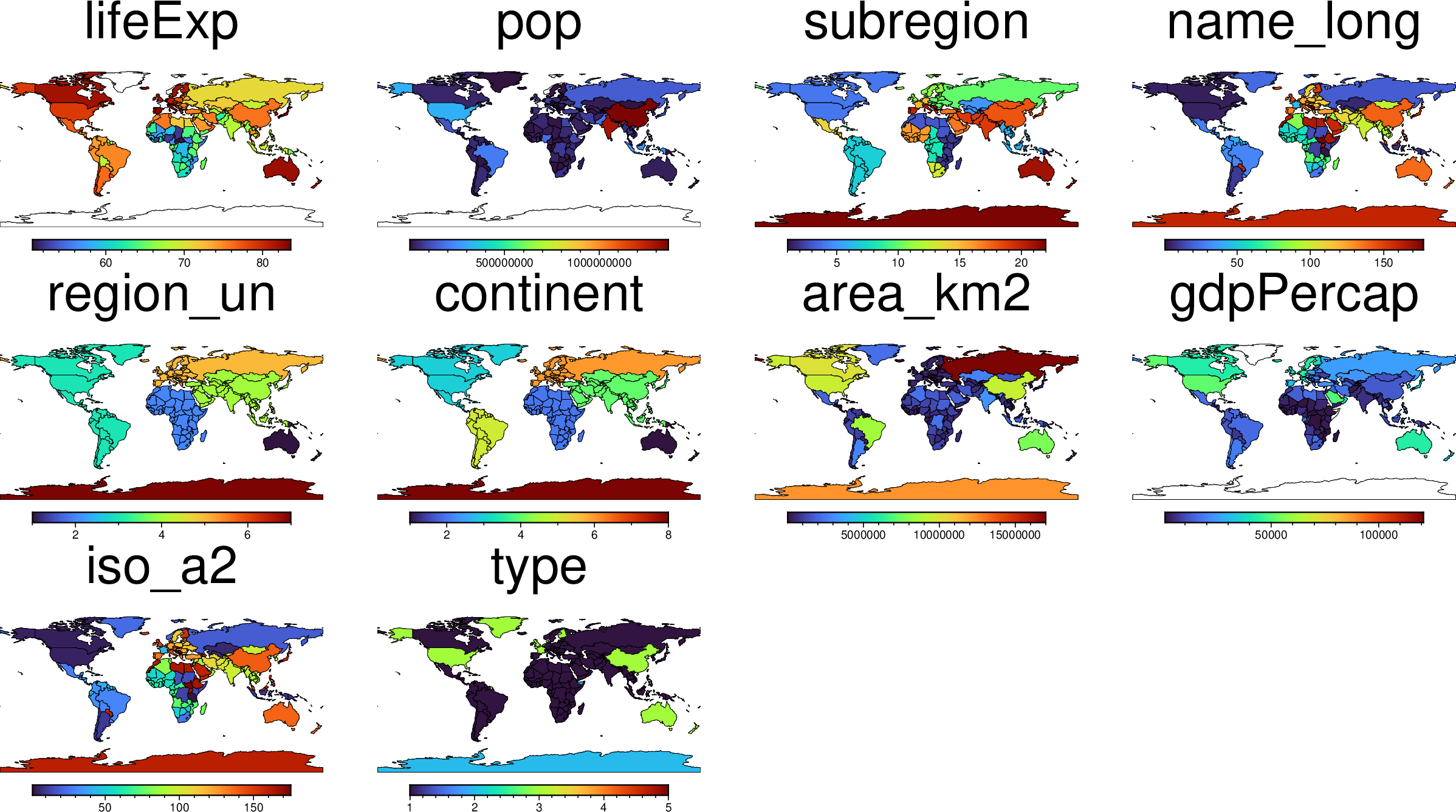
This function has multiple methods: