using GMT
D = mat2ds([rand(6,3), rand(4,3), rand(3,3)], fill=[[:red], [:green], [:blue]], fillalpha=[0.5,0.7,0.8]);

# Now see it
viz(D)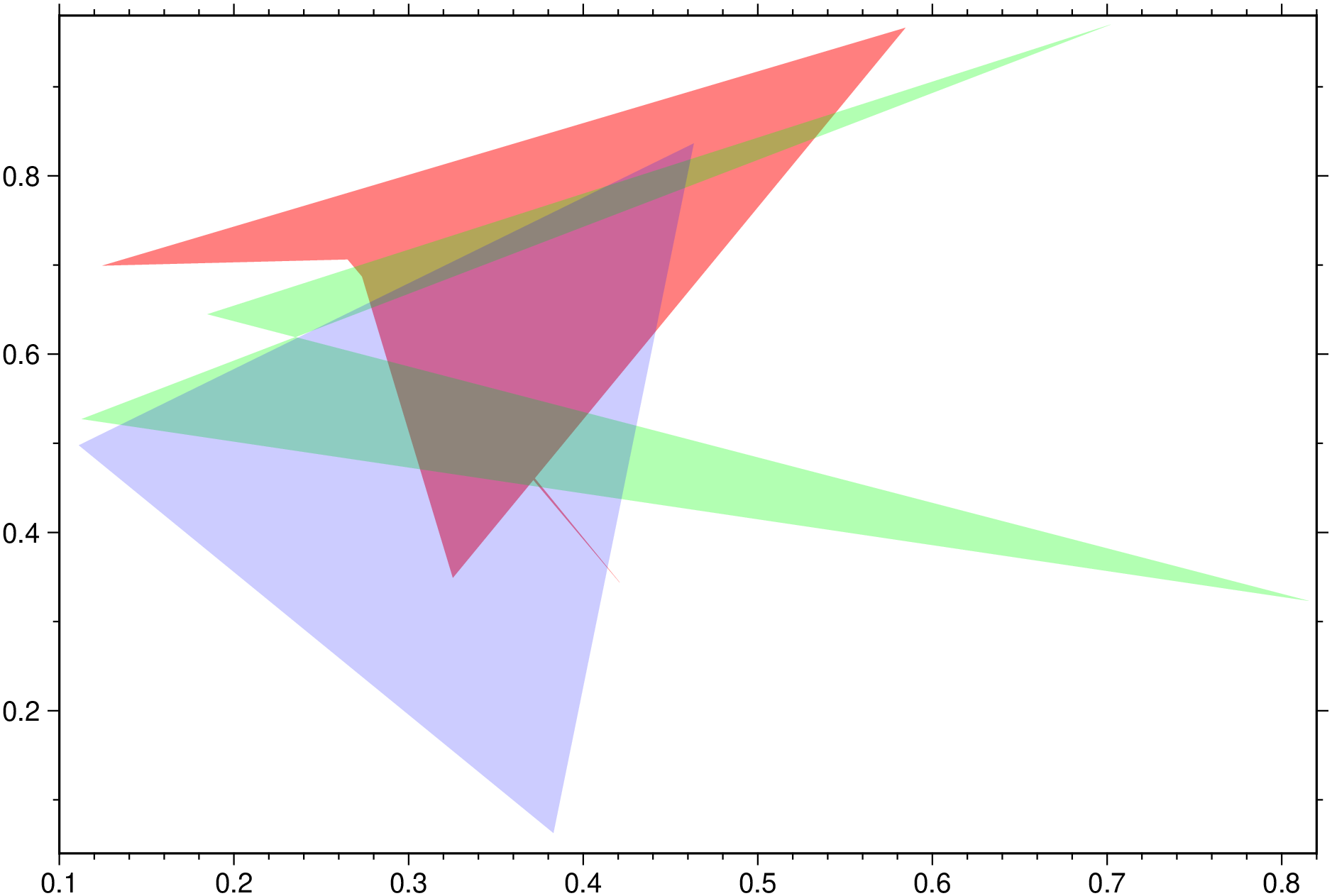
D = mat2ds(mat [,txt]; x=nothing, text=nothing, multi=false, geom=0, kwargs...)Take a 2D mat array and convert it into a GMTdataset. x is an optional coordinates vector (must have the same number of elements as rows in mat). Use x=:ny to generate a coords array 1:n_rows of mat. Alternatively, if mat is a string or vector of strings we return a dataset with NaN’s in the place of the coordinates. This form is useful to pass to text when using the region_justify option that does not need explicit coordinates to place the text.
txt: (A postional arg) Return a Text record which is a with data = Mx2 and text in third column. The text can be an array with same size as mat rows or a string (will be repeated n_rows times). The keywords txt or text are also accepted in alternative to this (positional) txt argument.
x: An optional vector with the xx coordinates
hdr: optional String vector with either one or n_rows multi-segment headers.
lc or linecolor or color: optional array of strings/symbols with color names/values. Its length can be smaller than n_cols, case in which colors will be cycled. If color is not an array of strings, e.g. color="yes", the colors cycle trough a pre-defined set of colors (same colors as in Matlab). If you want the same color repeated for many lines pass color as a vector. e.g, color=[color]
linethick or lt: for selecting different line thicknesses. Works like color, but should be a vector of numbers, or just a single number that is then applied to all lines.
fill: Optional string array (or a String of comma separated color names, or a Tuple of color names) with color names or array of “patterns”.
fillalpha : When fill option is used, we can set the transparency of filled polygons with this option that takes in an array (vec or 1-row matrix) with numeric values between [0-1] or ]1-100], where 100 (or 1) means full transparency.
is3D: If input ‘mat’ contains at least x,y,z (?).
ls or linestyle: Line style. A string or an array of strings with length = size(mat,2) with line styles.
front: Front Line style. A string or an array of strings with length = size(mat,2) with front line styles.
pen: A full pen setting. A string or an array of strings with length = size(mat,2) with pen settings. This differs from lt in the sense that lt does not directly set the line thickness.
multi or multicol: When number of columns in mat > 2, or == 2 and x != nothing, make an multisegment Dataset with first column and 2, first and 3, etc. Convenient when want to plot a matrix where each column is a line.
segnan or nanseg: Boolean. If true, make a multi-segment made out of segments separated by NaNs.
datatype: Keep the original data type of mat. Default converts to Float64.
geom: The data geometry. By default, we set wkbUnknown but try to do some basic guess.
proj or proj4: A proj4 string for dataset CRS (Coordinate Reference System). Default is empty. To set it to lon,lat in WGS84 use proj=prj4WGS84
wkt: A WKT (Well Known Text) CRS. Default is empty.
epsg: An integer EPSG code. e.g. epsg=4326 for lon,lat in WGS84. Default is 0.
colnames: Optional string vector with names for each column of mat.
attrib: Optional dictionary{String, String} with attributes of this dataset.
ref: Pass in a reference GMTdataset from which we’ll take the georeference info as well as attrib and colnames
txt or text: Vector{String} with text to add into the .text field, but this forces the return of a Text record. See what is said above about the txt positional argument.
txtcol or textcol: Vector{String} with text to add into the .text field. Warning: no testing is done to check if length(txtcol) == size(mat,1) as it must.
D = mat2ds(mat::Array{T,N}, D::GMTdataset)Take a 2D mat array and convert it into a GMTdataset. Pass in a reference GMTdataset from which we’ll take the georeference info as well as attrib and colnames.
D = mat2ds(mat::Vector{<:AbstractMatrix}; hdr=String[], kwargs...)::Vector{GMTdataset}Create a multi-segment GMTdataset (a vector of GMTdataset) from matrices passed in a vector-of-matrices mat. The matrices elements of mat do not need to have the same number of rows. Think on this as specifying groups of lines/points each sharing the same settings. KWarg options of this form are more limited in number than in the general case, but can take the form of a Vector{Vector}, Vector or scalars. In the former case (Vector{Vector}) the length of each Vector[i] must equal to the number of rows of each mat[i].
hdr: optional String vector with either one or length(mat) multi-segment headers.
pen: A full pen setting. A string or an array of strings with length = length(mat) with pen settings.
lc or linecolor or color: optional color or array of strings/symbols with color names/values.
linethick or lt: for selecting different line thicknesses. Works like color, but should be a vector of numbers, or just a single number that is then applied to all lines.
ls or linestyle: Line style. A string or an array of strings with length = length(mat) with line styles.
front: Front Line style. A string or an array of strings with length = length(mat) with front line styles.
fill: Optional string array (or a String of comma separated color names, or a Tuple of color names) with color names or array of “patterns”.
fillalpha: When fill option is used, we can set the transparency of filled polygons or symbols with this option that takes in an array (vec or 1-row matrix) with numeric values between [0-1] or ]1-100], where 100 (or 1) means full transparency.
D = mat2ds(D::GMTdataset, inds::Tuple)::GMTdatasetCut a GMTdataset D with the indices in INDS but updating the colnames and the Timecol info. INDS is a Tuple of 2 with ranges in rows and columns. Ex: (:, 1:3) or (:, [1,4,7]), etc… Attention, if original had attributes other than ‘Timeinfo’ there is no guarentie that they remain correct.
Create a 3 elements vector with a color and transparency each.
using GMT
D = mat2ds([rand(6,3), rand(4,3), rand(3,3)], fill=[[:red], [:green], [:blue]], fillalpha=[0.5,0.7,0.8]);
# Now see it
viz(D)
This function has multiple methods:
mat2ds(text::Vector{String}; hdr, kw...) - utils_types.jl:85mat2ds(mat::Nothing) - utils_types.jl:82mat2ds(mat::Array{T, N}, txt::Union{String, Vector{String}}; hdr, geom, kwargs...) where {T<:Real, N} - utils_types.jl:206mat2ds(mat::Vector{<:AbstractMatrix}; hdr, kwargs...) - utils_types.jl:141mat2ds(mat::GDtype) - utils_types.jl:83mat2ds(text::Union{AbstractString, Vector{<:AbstractString}}) - utils_types.jl:84mat2ds(mat::Array{T, N}; ...) where {T<:Real, N} - utils_types.jl:206mat2ds(mat::Array{T, N}, ref::GMTdataset) where {T<:Real, N} - utils_types.jl:203mat2ds(mat::Vector{<:AbstractMatrix{T}}, hdr::Vector{String}, d::Dict) where T<:Real - utils_types.jl:145mat2ds(mat::AbstractMatrix{T}; hdr, geom, kwargs...) where T<:Real - utils_types.jl:87mat2ds(D::GMTdataset{T, N}, inds) where {T<:Real, N} - utils_types.jl:422mat2ds(X; kw...) - utils_types.jl:113